
Understanding your Garmin marine radar
February 4, 2026
For peace of mind while cruising on the water, having a radar is crucial. Whether you’re navigating rain, fog and other low-visibility conditions, or simply want increased situational awareness to avoid potential collisions, a reliable radar system helps give boaters increased confidence.
If you’re looking to add a Garmin radar to your vessel but want to learn more about radar imagery first, keep reading as we break down key features.
How it works
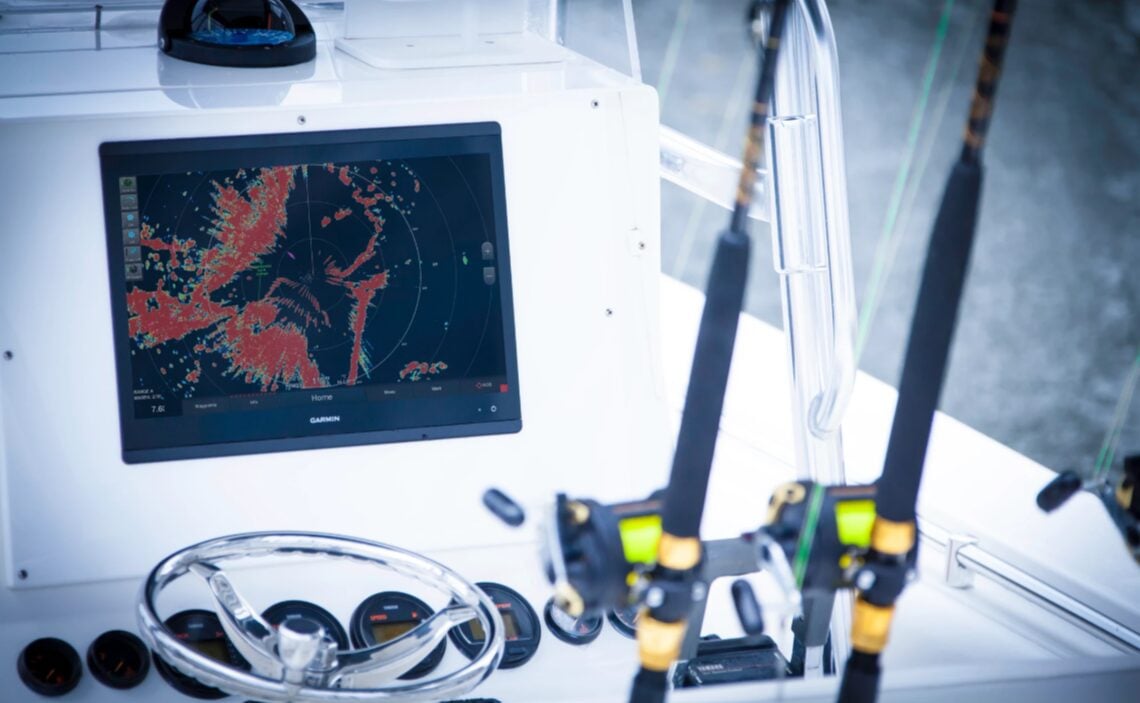
Garmin boat radars use electromagnetic radio waves to detect objects, landforms, weather cells and more. A wave is sent out at the speed of light, hits a target and is reflected back toward the radar. It’s then processed and shows up on your compatible Garmin MFD screen.
Garmin GMR Fantom™ radars with built-in MotionScope™ technology use the Doppler effect to detect and highlight targets ranging from 20’ up to 96 nautical miles. Targets will appear in different colors, depending on the direction in which the target is moving. MotionScope technology helps boaters avoid collisions with other vessels as well as find flocks of birds and track hazardous weather.
Plus, with pulse compression technology and 8-bit true color imagery, see higher resolution targets with increased separation.
Reading basic radar images
There are many different radar features that help you see your surroundings. Keep a close eye on each of these images to gain a better understanding of what’s around you.
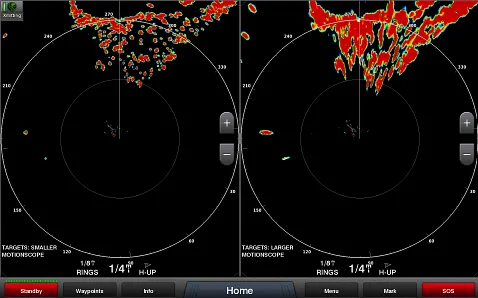
Target size: Adjust target size for better separation on your screen.
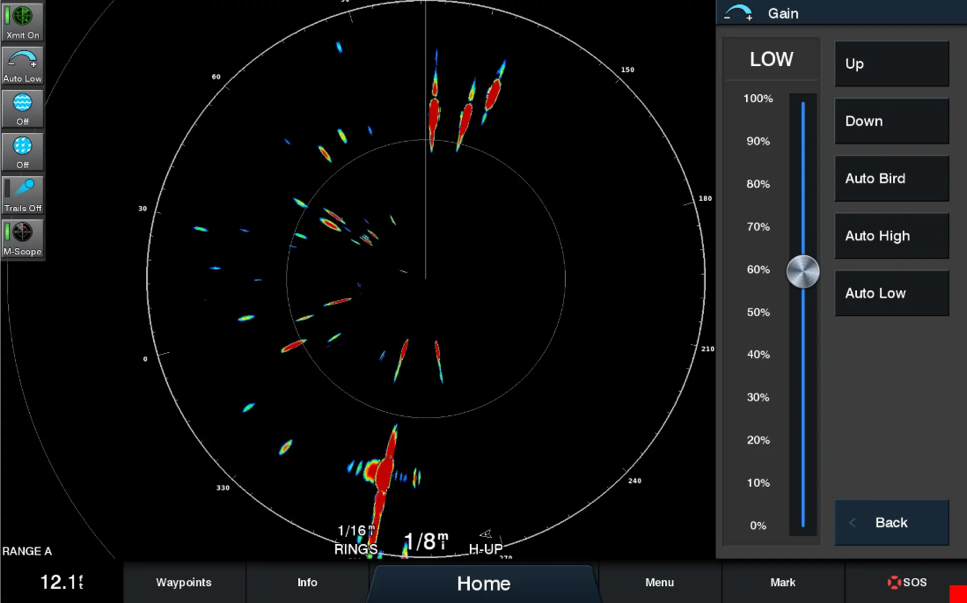
Dynamic auto gain: The dynamic auto gain feature will automatically adjust your gain to filter out noise from environmental factors. You can also manually adjust the gain with a higher gain giving you a longer but narrower view. Lower gain will have shorter reach but allows you to see more of your surrounding view.
- Auto bird gain: The auto bird gain feature will adjust the gain level to best locate birds at the water’s surface, perfect for finding fish.
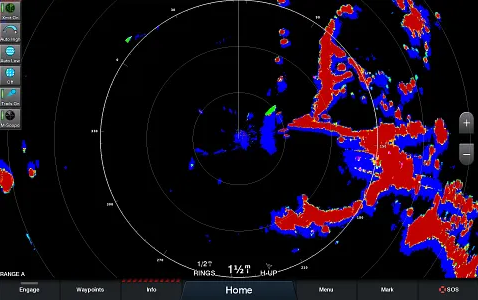
- Dynamic sea filter: Automatically filter your image to eliminate small, close waves and water so you primarily see boats, channel markers and other targets. Sea clutter can improve target visibility particularly in medium and rough sea conditions.
- Rain clutter: To better navigate and follow traffic targets through rainstorms, the rain clutter filter adjustment will reduce what weather is showing up on your radar so targets remain visible.
Echo trails: Visible targets will appear with a colored trail behind them so you’re aware of what direction other vessels are moving in to avoid a collision.
Reading advanced radar images
If you’re looking for advanced ways to monitor, target and navigate your surroundings, check out these additional Garmin radar imagery features.
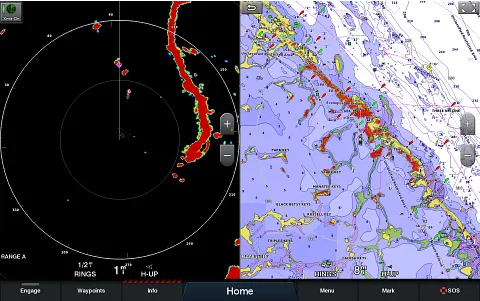
Dual range with overlay: The dual range with overlay feature shows split-screen images for both close and long range. Plus, dual range capabilities support chart overlay, so you can layer radar images on top of your navigation chart.
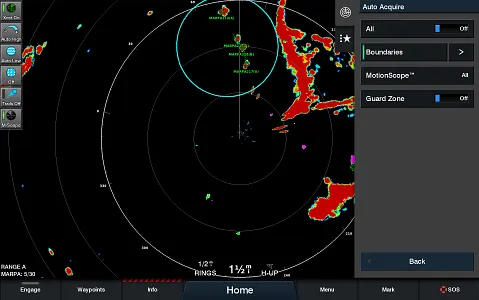
MARPA target tracking: This feature allows you to track up to 30 nearby targets. When you’ve selected a target to track, it will appear with a green ring around it and a dashed green line indicating its projected target and GPS heading. When a target gets within range of your vessel, a red ring, alarm and message banner will notify you so you can change your course.
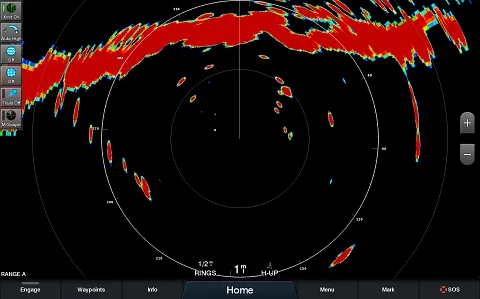
Cross-talk rejection: To prevent ghost images, cross-talk rejection eliminates interference from other nearby radar sources, giving you a more accurate image.
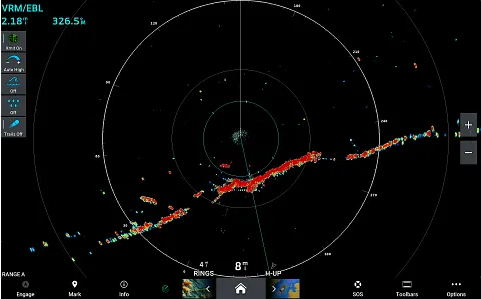
Alerts and markers: To help avoid potential collisions, variable range markers (VRM) and electronic bearing lines (EBL) give distance and bearing to vessels and land structures. Once you’ve set the desired zone around your vessel, you’ll receive an alert when you move too close.
Protect your boat and vessels around you with a Garmin radar. Learn more about Garmin radar offerings and find a radar that fits your vessel.