
3 key differences between Garmin Approach R50 and R10
October 17, 2025
Here’s how you can choose between these radar- and camera-based golf launch monitors.
If you’re thinking it’s time to upgrade your golf game with a Garmin launch monitor and simulator, you’ve come to the right place.
Garmin offers two golf launch monitors1: Approach® R50 and Approach R10. Both offer premium metrics, simulation capabilities and compatibility features for you to improve your swing, but they differ when it comes to how all those are provided.
Here’s what you should know.
1. How Garmin camera- and radar-based launch monitors track metrics
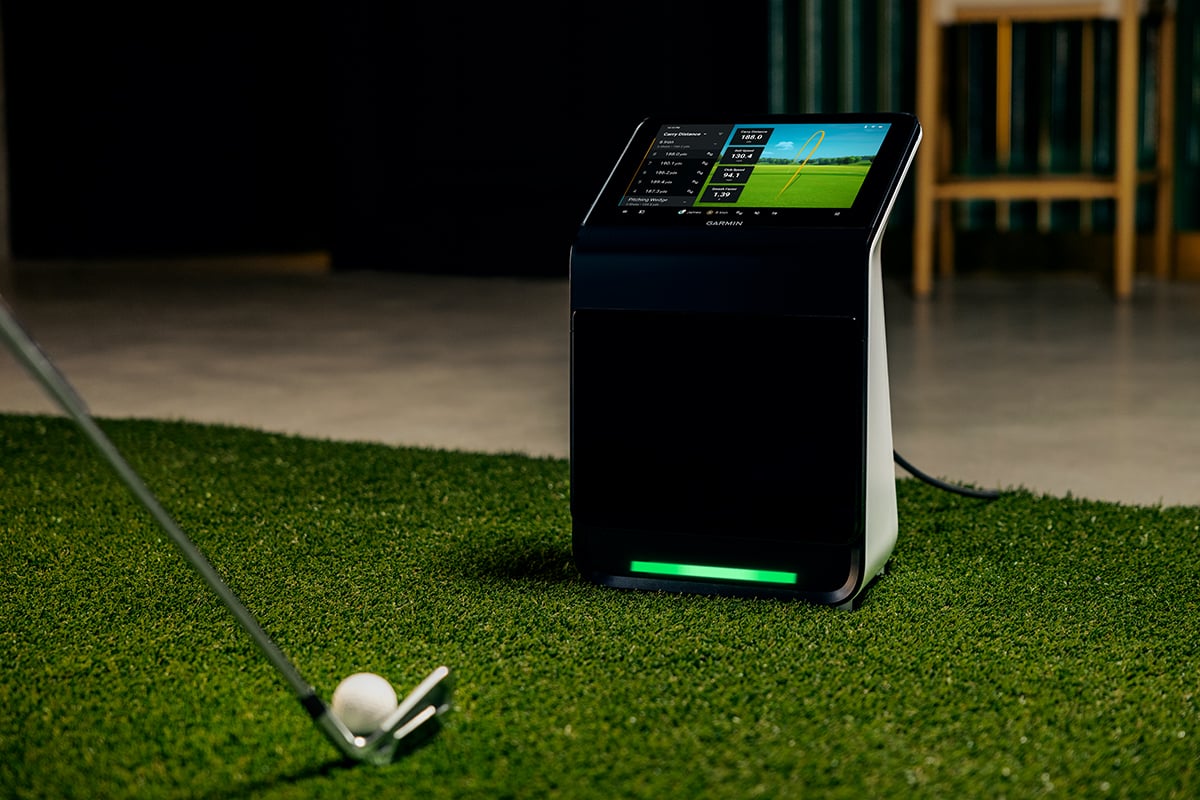
The Approach R50 launch monitor uses three high-speed cameras to track more than 15 ball and club2 metrics, such as spin rate and spin axis. These cameras allow R50 to provide precision analytics for each of your clubs (including drivers) as well as high-speed impact videos so you can review your moment of contact for each shot.
Approach R10 uses radar to provide more than 15 ball and club metrics. You can see your stats on the Garmin Golf™ app on your compatible smartphone between swings3. Plus, you can record and analyze your own swing with video clips that feature your real stats overlaid on each shot. With a Garmin Golf membership, those videos can be stored in the cloud so you can review them later and track how your swing changes over time.
So, what’s the difference between the camera-based Approach R50 and the radar-based Approach R10? The answer lies in how each device gets to the metrics.
Camera-based launch monitors use high-speed cameras to capture detailed images of the ball and club at impact for precise data. These are ideal for indoor use because they have minimal space requirements but also work great outdoors.
Radar-based launch monitors transmit radio waves that bounce off objects and return to the radar receiver. The frequency created by those radio waves is used to measure the speed and direction of a moving object. Radar-based launch monitors track a longer flight of the golf ball, making them well-suited for outdoor use where there is ample space.
For example, let’s look at spin measurement and club measurements.
Spin measurement: The camera-based R50 can measure total spin and spin axis indoors and outdoors. When used outdoors, radar-based launch monitors measure the total spin but calculate the spin axis based on the ball flight. When indoors, radar-based launch monitors measure the total spin (if you use Titleist® RCT golf balls) but calculate the spin axis based on launch direction and club path measurements. If you want to find the optimal carry and roll, you’ll need to dial in what spin rate is best for each club. Plus, these spin measurements — and how they’re determined — feed into the carry distance calculation.
Club measurements: Approach R50 requires a sticker and measures the speed and path of that point on the club face, while Approach R10 measures these at the club’s head (which gives the strongest return signal).
Now that you have a better understanding of the accuracy behind the two, let’s get into the other differences so you can understand which launch monitor is right for you.
2. How you can use a golf simulator
You can play a virtual round anytime on more than 43,000 courses around the world from anywhere with the Home Tee Hero1 simulator on both Approach R50 and Approach R10.
But with Approach R50, you don’t need anything else to hit the course. The built-in 10” color touchscreen display serves as a simulator by itself. No need to worry about buying a separate gaming computer to use the simulator — everything you need is already there. So you can get a tee time, anytime.
Want the ultimate simulator experience? Simply connect your monitor or projector to the HDMI output on Approach R50, and you can transform your garage or basement into your favorite virtual course. You can even customize the set up to fit your needs. For example, display the Home Tee Hero on your projector, but check your launch monitor data or impact videos on the Approach R50 display. With Home Tee Hero, you can even putt with Approach R50.
Need to warm up on the range before a specific course? Try prepping your swing with Approach R10. With this option, Home Tee Hero runs through the Garmin Golf app on a phone or tablet.
3. How you can take these launch monitors from home to the course
If you want to use your launch monitor inside and outside, you may prefer Approach R50 because the cameras measure metrics within a small area around impact and aren’t susceptible to environmental conditions such as wind. Approach R50 can go from the golf course to your indoor setup easily with the included carrying case, so rainy days won’t get in the way of your tee time. It’s compatible with every club, including putters, and provides up to 4 hours of battery…